
Ranking questions on the icanmakeitbetter platform are Single Select Matrix questions. For more details on Single Select questions, read here.
The following explains programming steps, shows examples, and highlights programming tips with Ranking questions.
Programming Steps
When creating a new Single Select question, the set up screen looks as below. You will notice the Ranking option is grayed out.

Once checking the Matrix check box, the Ranking option becomes available.

- Select Ranking.
- Set up your question. Follow steps for Single Select Matrix questions (see article here).
- Dropdown is the suggested format for Ranking, but radio button set up is available too.
Example Set-Up: Ranking
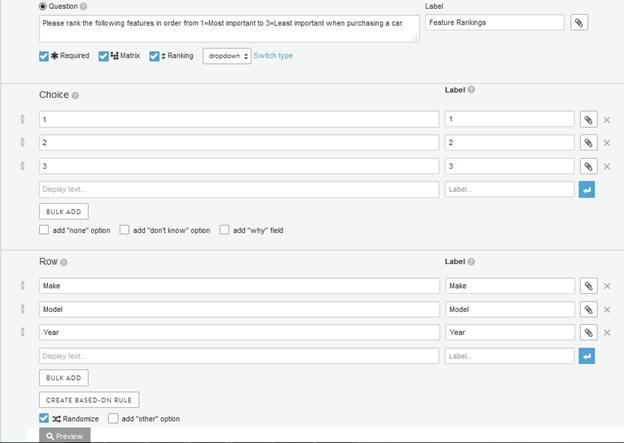
Set-up for a required, randomized Single Select Matrix Ranking in a dropdown menu is shown below.
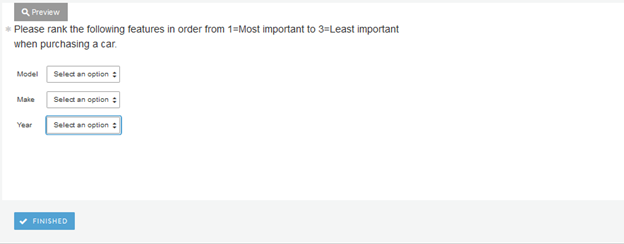
Once set-up is complete, the Preview below will show how the question will appear on the survey platform. Clicking on the boxes will allow respondents to select ranking for each:
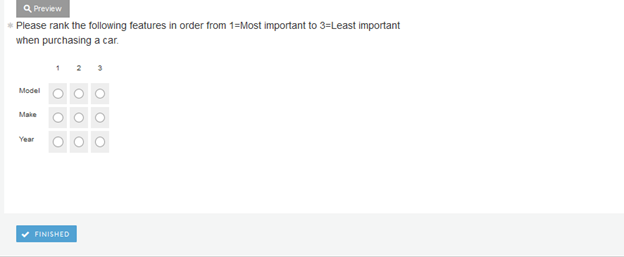
If "radios" is selected, rather than "dropdown," this is how the question will appear on the survey platform:
Programming Tips
Ranking questions easy to program, but a few things should be considered if you are working with long lists of attributes and/or you only want top choices to be ranked.
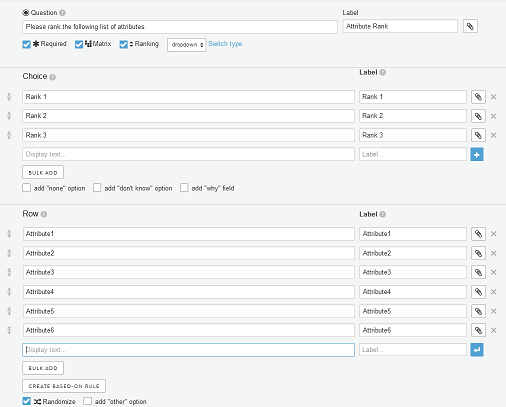
Let's assume you have a list of 6 attributes that you want respondents to rank, but instead of getting a rank for each attribute, you want respondents to rank their top 3 choices.
The set up on the screen would look like the following. The question is set up as Required and Randomized. 3 Ranking choices are programmed to be shown as dropdown for 6 attributes shown in the rows.
One thing to keep in mind for ranking to work properly is that each Rank can only be chosen once. If you save this question and go to test it, you see that respondents will run into issues:
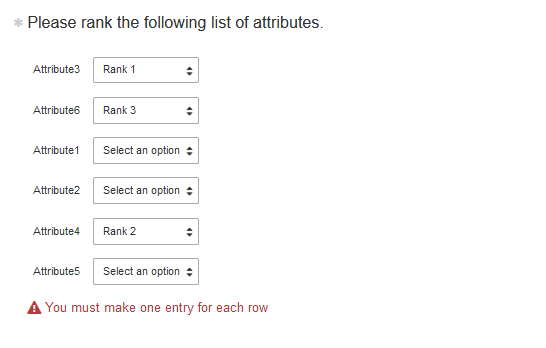
The question is set as required forcing responses for each attribute, however the ranking feature will prevent users from selecting each rank option more than once. As a result, members would not be able to move past this question and complete your survey.
We have a few options on getting around this issue:
- Do not select Required: If you uncheck the Required checkbox, respondents won't be forced to select an answer choice for each attribute. The Ranking functionality will still prevent respondents from selecting the same choices twice, however now respondents can continue without providing any response or only providing partial responses. Based on our experience with community members, data quality is not an issue. You may get a very few who don't provide all ranks but that may be a true reflection of a person's actual evaluation.
- Do not select Ranking: If you feel strongly about making your question Required, you can use the following work around.
- Program your ranking question as Single Select Matrix (without Ranking).
- For Ranking options, program add an option "Not Rank 1-3."
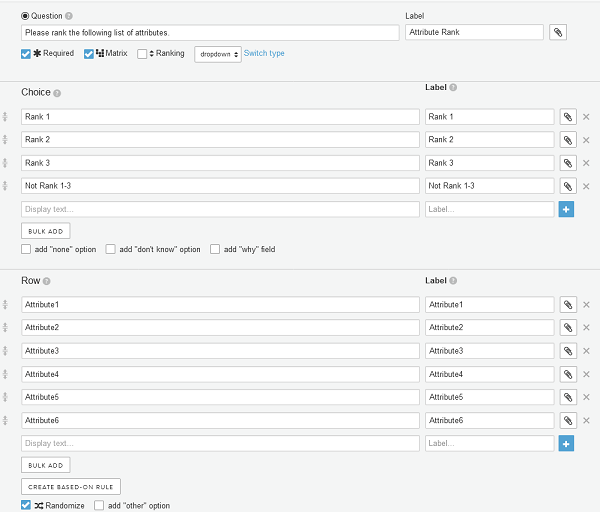
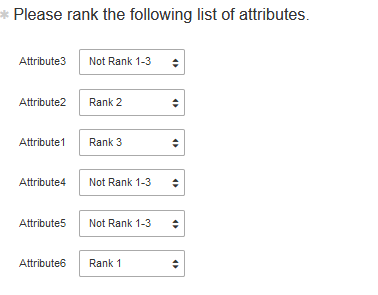
The respondents are now able to provide a response for all choices. As is shown below, respondents would select "Not Rank 1-3" for all choices after they finished their top 3 ranks. The drawback for this approach is that respondents can select any choice (Rank) as many times as they want. E.g., Rank 1 could be selected for all attributes. Based on our experience with community members this is a rare scenario at best. Community members tend to provide high quality responses. Good instructions on what is required will ensure you are getting good data.
- Have members rank all attributes: With short lists (3-6 attributes) this will be likely the best and typical solution. You are taking advantage of the platform's validation and are getting clean data for all respondents. However, ranking long lists is not only creating respondent fatigue, but will also make it very difficult to for respondents to provide an accurate ranking of attributes. Could you rank a list of 15 attributes and provide an accurate reflection of your preference?
- Use short lists: If data integrity and response validity are of high importance to you, consider to only use short lists for ranking questions. Remove less important attributes or shorten your list.
Comments
0 comments
Article is closed for comments.