
During the programming phase, it is possible to:
- Change the order of Answer choices, Questions and Pages
- Delete Answer choices, Questions and Pages
- Copy Questions and Pages
- Name or rename a Page
Edit Tab
From the QUESTIONS tab, select Edit.
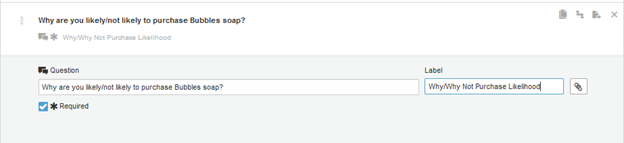
Moving Answer choices/Rows
To move answer choices, select the up/down arrow to the left of the answer choice or row you want to move and drag the arrow to the desired place.
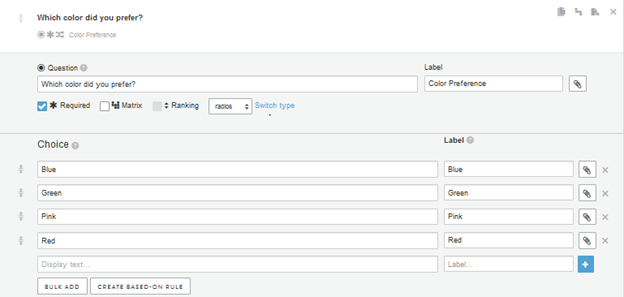
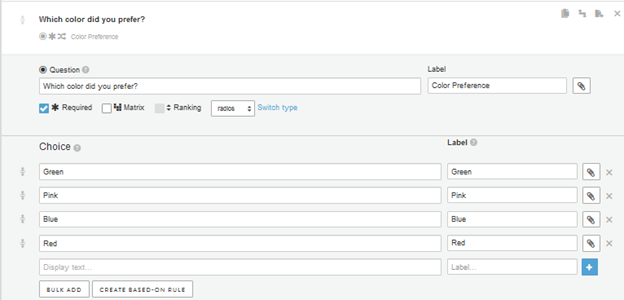
In this case, Blue was moved by selecting and dragging the arrow next to it so that it follows Pink:
Moving Questions (within the same page)
To move questions within the same page, use the up/down arrow to the left of the question you want to move and drag the arrow to the desired place.

In this case the top question was moved to the bottom by selecting and dragging the arrow next to it:

Moving Questions (from one page to another)
To move questions from one page to another, use the page/right arrow to the right of the question you want to move.

Select the desired page from the dropdown menu. Page labeling can be very helpful when moving questions around. For more on page names, see below.

Moving Pages
To move pages, use the up/down arrow to the left of the page you want to move and drag the arrow to the desired place.

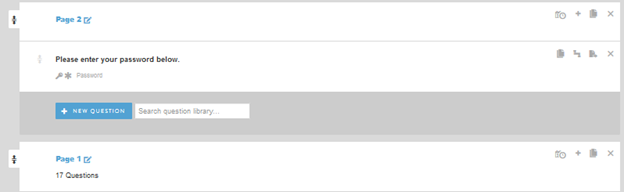
In this case the order of Page 1 and Page 2 was switched:
Deleting Answer choices, Questions and Pages
To delete answer choices, questions or pages, select the X to the right of the item(s) you want to remove.
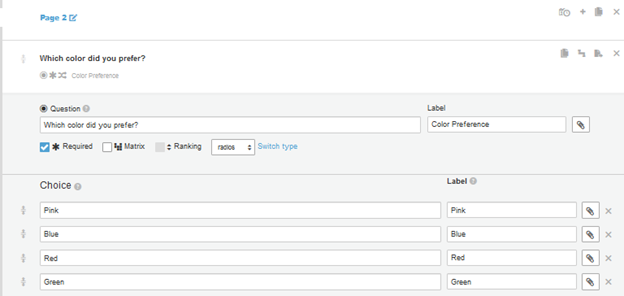
Copying Questions and Pages
To copy questions or pages, select the double page icon. Note that this icon appears in different places for the question and the page; for the page, it is located to the left of the X, and for the question, it is the icon on the right that is closest to the question:

Name or rename a Page
To name or rename a page, click on the pencil icon:

Type the desired name in the box and select "Save."

The renamed page now appears:

Continue reading:
For more details see:
Comments
0 comments
Article is closed for comments.