
Setting up incentives for an activity is an easy process.
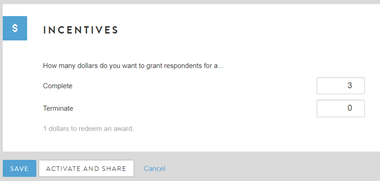
After programming all questions, click on "Settings" within the activity and scroll down to the bottom of the page. Here you will see a box where you can type in how much you would like to grant members for completing or terminating the activity. Please note that if you do not wish to grant incentives, you will still have to populate these boxes with “0.” Be sure to click “Save” once you have done so.
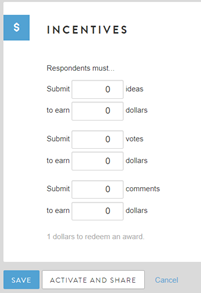
For ideation sessions, the incentive settings look a bit different. Instead of just having the option to reward for completes or terminates, you can also set incentives based on how many ideas, votes, or comments members post. See image below for more detail.
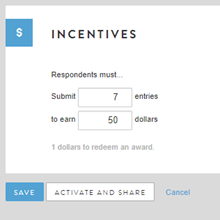
The same goes for Journals. The incentive settings look a little different than the standard survey/focus group, as incentives are granted based upon how many entries the member submits.
As a reminder, always be sure to click "Save" before leaving the settings page.
Comments
0 comments
Article is closed for comments.