
What is a Bipolar Question?
Bipolar questions have a scale with two anchors. The subject is asked to show bias towards either anchor.

This type of question can be used to force choices between very similar items (thus causing a semantic differential choice) or very different items.
Creating a Bipolar question
The administrator will now have the option to select a bi-polar question when creating a new single select question.
Creating a Single Select Question
- Click on New Question
- Select Single Select question type
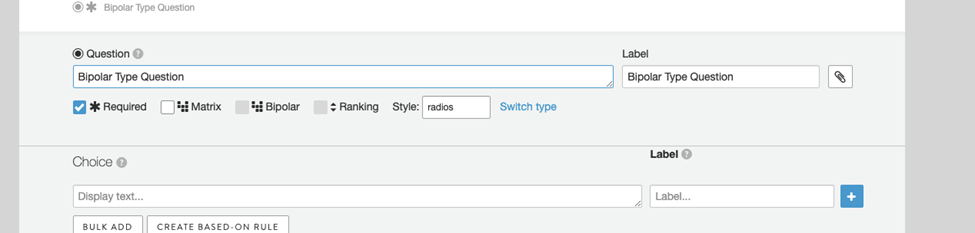
- Click on the Matrix checkbox to enable the Bipolar option
- Then click on the Bipolar checkbox to enable this question variant
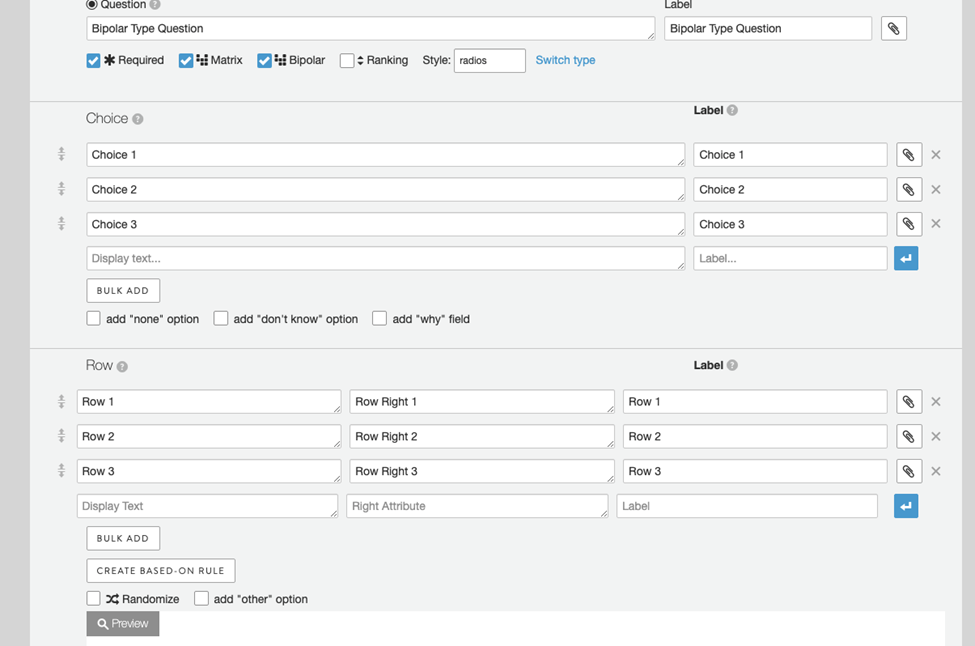
- After enabling the Bipolar question variant, you will see three fields shown under the Row header instead of the two usually shown. The first two fields are for the Left and Right-hand display text, respectively. The third field is for the label shown in the data export column header.
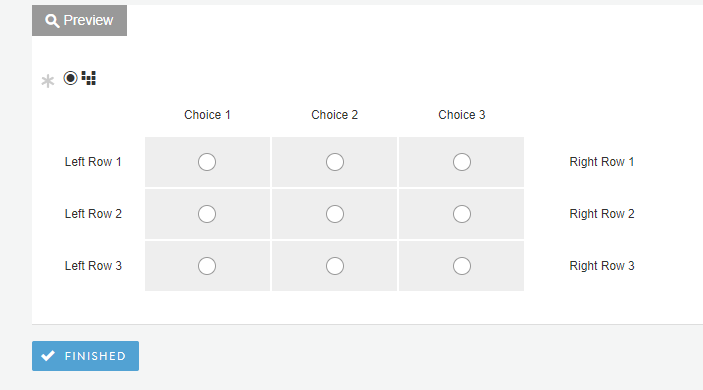
- Once you've configured your Choices and Rows, you may scroll down to preview the Bipolar question variant. You will see the Right display text to the right side of the grid
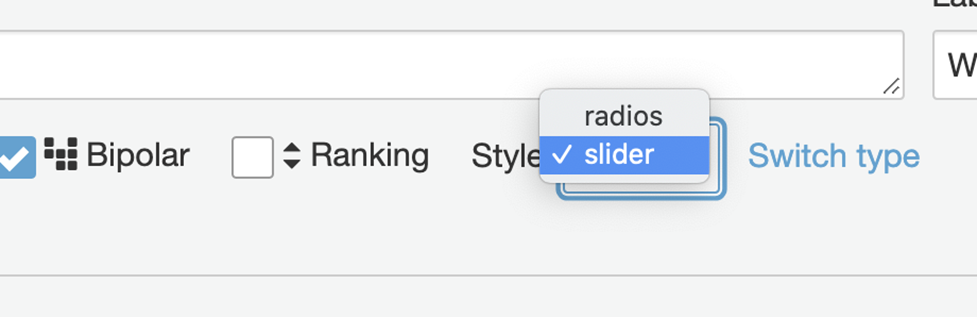
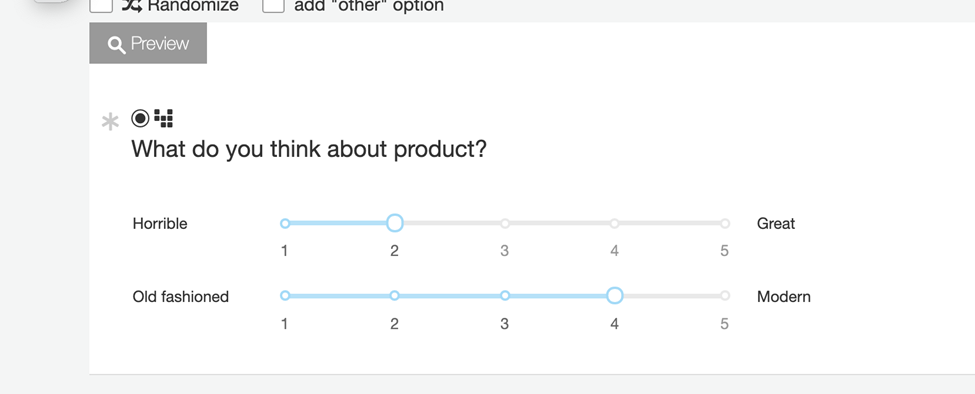
- While setting up the Bi-Polar question, you also have the ability to configure the input fields as Radio buttons or Sliders under the Style menu.
- This is a preview of the Slider style:
Comments
0 comments
Article is closed for comments.