
The Advanced Filters feature lets you export custom created advanced filters as variables in data exports.
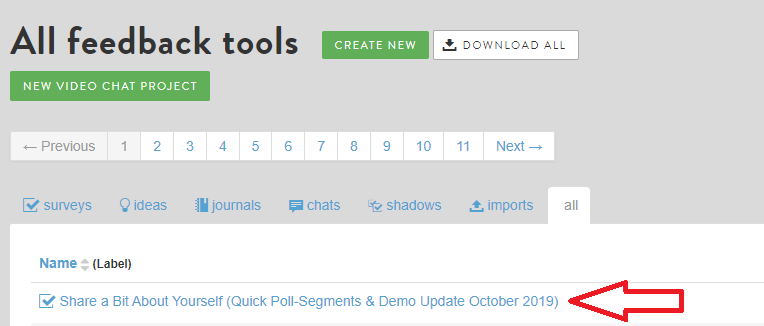
This feature can be accessed via Feedback and clicking on the Feedback you want to view results on.
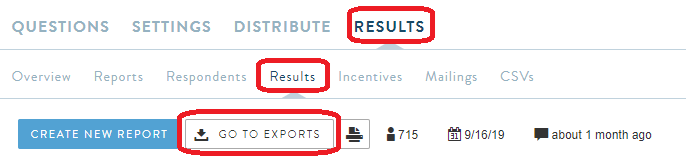
After clicking into the Feedback, click on Results > Results> Go to Exports
Scroll down and you should come across the section for Appending Advanced Filters
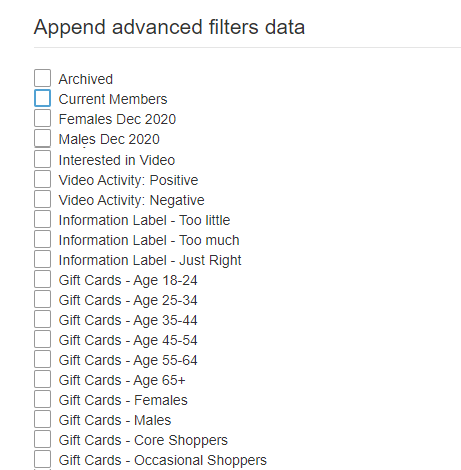
You can select the custom filters that have been created within the community to append to the export.
Once selected, click on Update at the bottom. Then Click on “Detailed Export” at the top
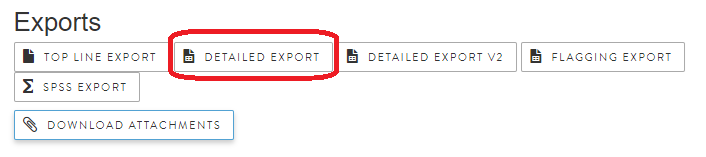
This will then take you to the exports page where the report will be generated containing the Advanced Filters in addition to the data.
Comments
0 comments
Please sign in to leave a comment.