
Users can edit the following account information:
- Username (name)
- Password
- Language
Accessing My Account
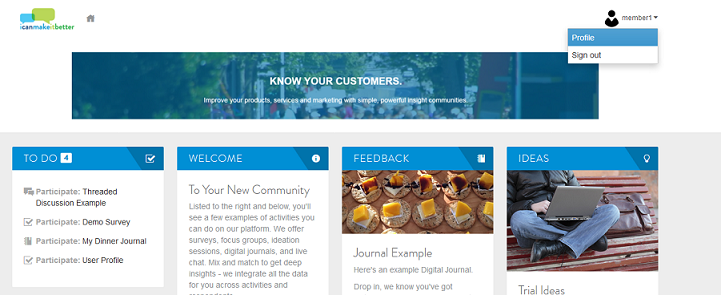
- To access your account and make edits, click the person icon/username in the top right corner of the homepage and select profile.
Edit Account
- On the Profile or Account page, click on the Edit Account button on the right top corner and click on the selection to change the name (username), email, password, or language.
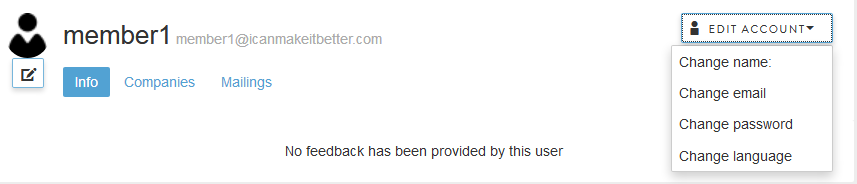
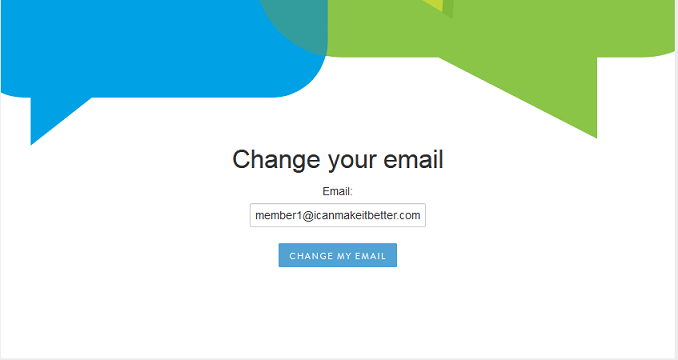
- Clicking any of the selections will pop-up a new browser window. Enter your new username, email, password or language and click the change button.
- For some selections, for example, name and email, the field shows the current account information used:
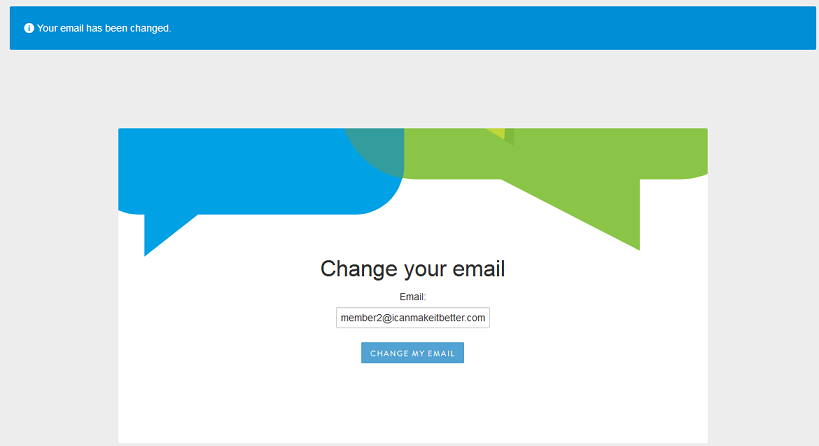
- After entering/updating the information, click on the change button. A blue bar at the top will confirm that the change was successful or unsuccessful.
- If successful, simply close the browser window and return to the browser window with your account.
- If unsuccessful, follow the prompts to ensure your updated information meets all system requirements.
Comments
0 comments
Article is closed for comments.