
Community members have two different opt out options:
- Opt out from receiving community emails
- Unsubscribing from the community
Opt Out from Emails
Community members may opt out of community emails on the community platform or by clicking on an opt-out link in email communications.
Note:
- After users opt out of email communications they are still members. They will not receive emails for upcoming activities or community communications.
- They do not show up in the User tab (If you notice that the number of community members in the User tab has decreased, this may be because members have opted out of emails)
- While member who opt out will not be invited to activities, they are able to complete activities that are available on their To Do list. This would be the case if on the activity settings page "Invitation required" is unchecked.
- Activities that are not set as private can still be completed if links are shared with them by other members.
Opt Out through Email Link
- Each email sent to members from the community includes an unsubscribe or opt-out link.
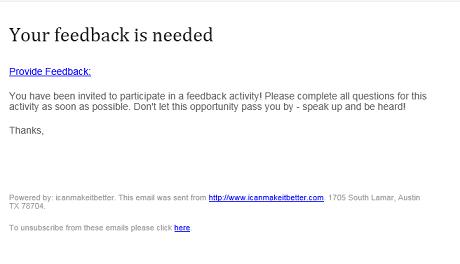
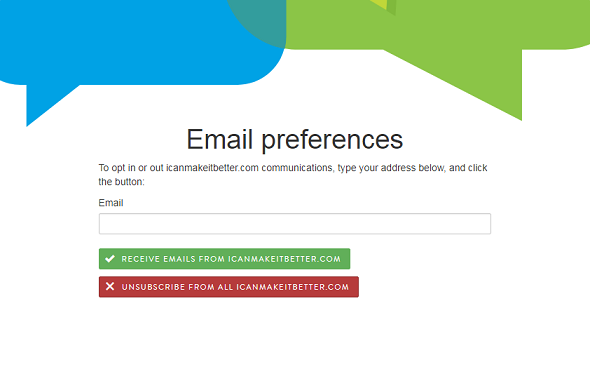
- Once a member clicks on the unsubscribe link to opt out of receiving emails, a screen pops up for them to finish the unsubscribe process. Members need to enter their registered email address and click on the unsubscribe button.
Opt Out on the Platform
A second way for members to unsubscribe to email communications is through their member profile page:
- Under member profile, the Company Tab provides options to stop receiving emails
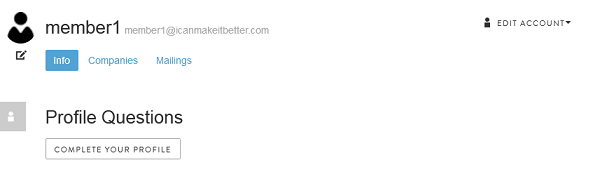
- By clicking on the company tab, members see the following screen.
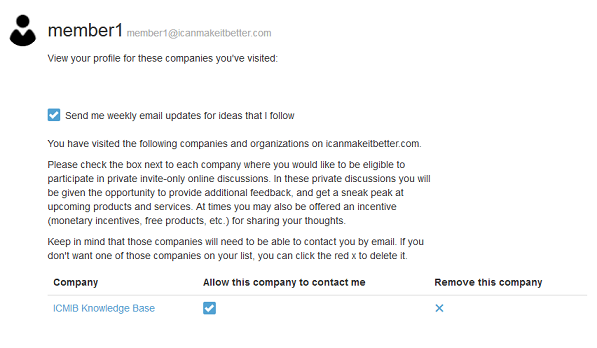
- Unchecking the checkbox "Allow this company to contact me" will unsubscribe a member from all email communications sent through the community platform.
Unsubscribing from the Community
Members can unsubscribe from the community by clicking on the X under "Remove this company."
- After unsubscribing, members are unable to access the community.
- They can re-register to be part of the community at a later date, but will need to go through the individual community sign-up steps (i.e., screening, registration, etc.).
Continue reading:
For more details see:
Comments
0 comments
Article is closed for comments.