
The following shows the available Live Chat Settings to schedule your session.
Go to the SETTINGS tab in your Live Chat and update the following areas as needed:
WHO IS TAKING THE SURVEY
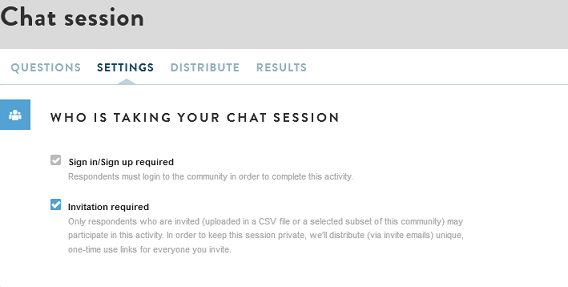
- The default settings are usually what you want for your Live Chat: Sign in/ sign up and invitation required. Update the settings if you wish to open the activity up to non-members and/or don't require an individual invite to participate.
- If you are running a private community your default settings will look as shown in the image below. You have the option to uncheck the "Invitation required" box. The current setting mean only community members who are actively added and invited to the live chat can access the session. This will typically be the case for your live chat sessions, given that you have likely pre-screened and targeted a subset of opt-in members.
SCHEDULE
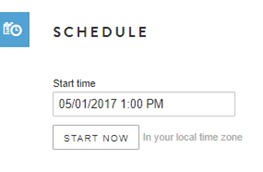
Enter the specified date and time of your session in the "Schedule" field. The time reflects the current time zone – if the live chat session is scheduled for 2 PM EST and you are located in Austin, TX, set the time as 1 PM.
SHARE RESULTS?
Select the first box in this section to show participants a summary page of structured question results for all survey respondents. (It will not show verbatim responses.)
By default, respondents do not see aggregated real time results for close ended questions during the live chat. Checking this box allows respondents to see how other respondents are responding to the question (similar to the moderator view for close ended questions).
CLOSING YOUR CHAT SESSION
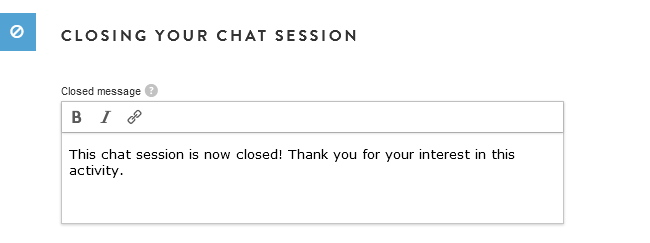
Be sure to include a customized "Closed message." Members will see this message at the end of the live chat session.
INCENTIVES
- Set your incentives level in this section – be sure to note whether the community uses points or dollars before setting the amount.
- Incentives will depend on (1) number of questions & overall length of session and (2) audience.
- Incentives can range from $20-$30 for a half hour session with consumers discussing plant-based products to $50-$75 with IT Decision Maker’s for 45 minutes.
- If not all of the invited members show up and participate (which is typical), you can manually grant/deny who received rewards after you have closed the Live Chat.
SAVE
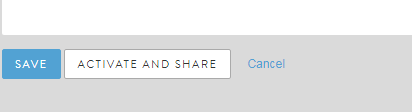
When you are done, Save your changes.
You can also Activate and share your Live Chat from here using the ACTIVATE AND SHARE button. It will take you to the Distribute Tab where you design your invite and reminder text and select members to invite.
You can also cancel all changes you have made.
Comments
0 comments
Article is closed for comments.