
Access Edit Homepage Screen
- To get started, click the edit homepage on the admin bar.
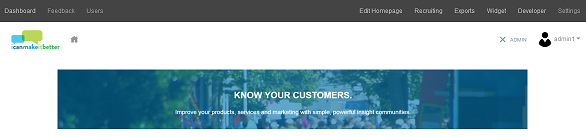
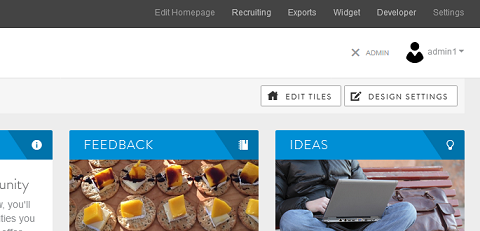
- After the page reloads you have two edit options. You can edit tiles and you can design your homepage. To learn more about editing tiles, click here.
- To edit your homepage design, click Design Settings.
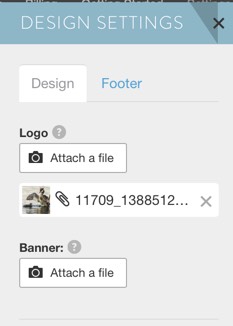
- A box will pop up on the right of the screen with options to add or customize the logo, add a banner image, update the footer and other design elements of the homepage.
Add and Edit Logo
You can use your company logo or any other image to brand your community. Save the image in the desired size and upload. Once it has been uploaded, your logo will appear at the top left side of your community.
Note: The maximum dimensions for logo are 940 x 300 pixels. Ideally, logos are in landscape format. The uploaded logo will be shown at a size of 350 pixels wide by 50 pixels tall.
Add and Edit Banner
You can add a banner image at the top of your homepage. The banner will not appear in edit mode. To view the look, save all your changes and return to the homepage.
Note: The maximum dimensions of the banner are 900 pixels wide by 300 pixels tall. In general, we suggest landscape orientation for the banner image. Recommended 861px wide.
Update Footer
The footer includes a link to the icanmakeitbetter terms and conditions (T&Cs). You may add your community specific T&Cs or make other customization to the footer here.
You will also be able to change the support email address that users will see on the footer. It defaults to support@icanmakeitbetter.com but if you prefer to use your community email address you can make that change there.
Update Background
Image: You can also download a background image that will appear behind your tiles. You'll be able to make it fixed so when you scroll the image goes with the page or scrolling so that it will only appear at the top of the page.
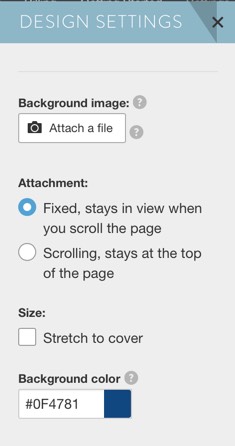
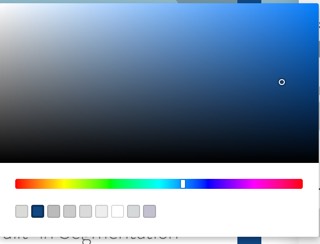
Background color: You can also customize the color of your background using hex codes or by using our color wheel. Simply click on the colored square next to the hex code and use the pop-up color wheel to find a color shade you want to use.
Edit Tile Color
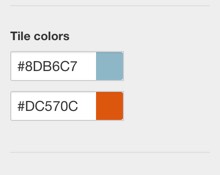
You can select and customize the tile headings color as well as the link colors using hex codes or using the same color wheel feature.
Continue Reading:
For more details see:
Frequency of Member Engagement
Comments
0 comments
Article is closed for comments.